Implementing Question & Answers
Getting started
Under the Questions & Answers (opens in a new tab) section in the Dashboard, you'll find all questions & answers created by generative AI based on the content of your website.
Before your questions can be shown as recommendations on the website, the first thing that needs to be done is to approve some in the Dashboard. After that, the AI model needs to be rebuilt, which happens once a day.
If you’re wondering whether the AI model has been rebuilt and your approved questions can be shown on the website, you can check here: Troubleshooting Questions & Answers.
If Questions & Answers is not activated for your project, you can email info@rek.ai and we will solve it quickly. Questions & Answers are recommended in the same manner as other Rek.ai recommendations. The only difference is the addition of the data-entitytype attribute.
<div class="rek-prediction" data-entitytype="rekai-qna" data-nrofhits="5"></div>This will result in questions being recommended along with their answers in an expandable area. The HTML structure and functionality to expand the answers are automatically created.
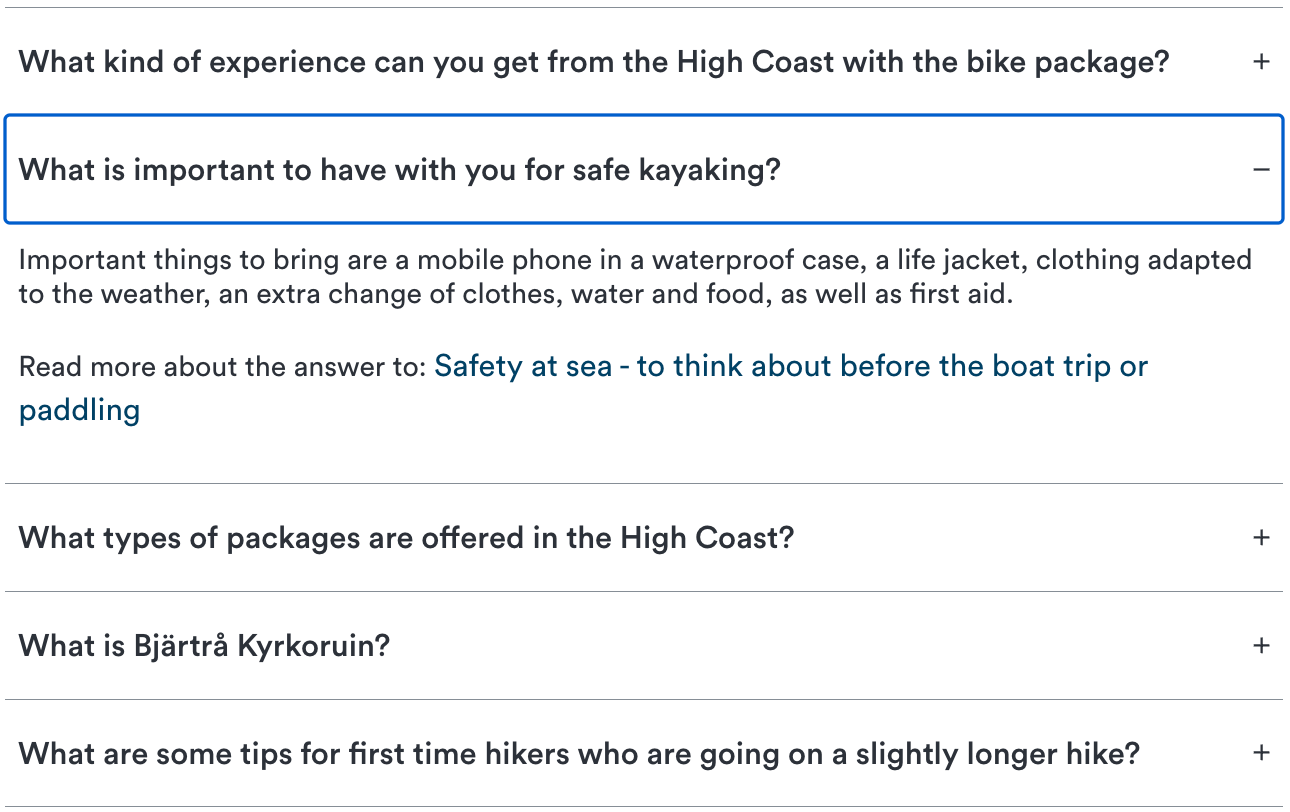
Filter which questions to display
When displaying questions, you can choose to either fetch them from a branch of the website or only from the specific page the visitor is currently on.
From a branch
If you plan to add the Q & A module to a template, it is best to filter using userootpath. This ensures that the questions are always filtered based on the branch of the site you are currently on.
<div class="rek-prediction" data-entitytype="rekai-qna" data-userootpath="true"></div>Link to filter parameter: data-userootpath
If you plan to add the code or module and want to control exactly which branch the questions should be filtered from, it is best to use subtree.
<div class="rek-prediction" data-entitytype="rekai-qna" data-subtree="/education/"></div>Link to filter parameter: data-subtree
Questions from the current page
To only recommend questions created from the current page the visitor is on (excluding any children of that page, etc.), there is a dedicated data parameter: data-currentpagequestions.
<div class="rek-prediction" data-entitytype="rekai-qna" data-currentpagequestions="true"></div>Link to filter parameter: data-currentpagequestions
Filter on tags
When creating and editing questions in Dashboard, you can assign a "Tag" to each question. To filter by these tags, you use data-tags. If you want to show questions from more then one tag they can be comma separated.
<div class="rek-prediction" data-entitytype="rekai-qna" data-tags="school"></div>Link to filter parameter: data-tags
Hide answer link to page if same page
When answers are rendered, the link to the page normally takes the user to the page where the answer is taken from. By setting data-hideanswerlinktopageifsamepage to true, this link will be hidden if the user is on the same page as the answer is taken from. This means that if the user is on a different page than the one where the answer is taken from, the link will still be shown and the user will be able to click on it to go to that page.
<div class="rek-prediction" data-entitytype="rekai-qna" data-hideanswerlinktopageifsamepage="true"></div>Link to filter parameter: data-hideanswerlinktopageifsamepage
Hide answer link to page
When answers are rendered, the link to the page normally takes the user to the page where the answer is taken from. By setting data-hideanswerlinktopage to true, this link will be hidden and the user will not be able to click on it to go to the page where the answer is taken from.
<div class="rek-prediction" data-entitytype="rekai-qna" data-hideanswerlinktopage="true"></div>Link to filter parameter: data-hideanswerlinktopage
Disable highlight
The text from which the question is created is automatically highlighted when a visitor clicks the link to the page from an answer. If you want to disable the highlighting function, you can do so with the parameter data-disablehighlight.
In a prediction:
<div class="rek-prediction" data-entitytype="rekai-qna" data-disablehighlight="true"></div>In autocomplete:
  __rekai.ready(function() {
    var rekAutocomplete = rekai_autocomplete('#searchform input', {
        params: {
          entitytype: 'all',
          disablehighlight: true
        }
      }).on('rekai_autocomplete:selected', function (event, suggestion, dataset) {
        window.location = suggestion.url;
    });
  });
Link to filter parameter: data-disablehighlight
Create a dummy test
If you want to see dummy questions for test purpose you can use mock data.
<div class="rek-prediction" data-advanced_mockdata="true" data-entitytype="rekai-qna"></div>To get Questions & Answers through JavaScript
function myCallback(data) {
  console.log(data)
}

var options = {
  params: {
    entitytype:'rekai-qna'
  }
}

window.__rekai.predict(options, myCallback);