Category Filtering
Introduction
This tutorial adds category filtering on top of a rek.ai search results page, entirely from the frontend. rek.ai renders search results but has no concept of categories — it only knows page URLs and relevance. To filter by category, we derive one from each result's URL after rendering, so no backend changes are needed.
Basic Concepts
Prediction container. The element on the page where rek.ai renders search results, configured via its attributes (e.g. which query parameter holds the search term, and which visual style to render).
Render styles. rek.ai can render results as a list, as content blocks, or as the "search result" style used here, where each hit is a boxed article with a title and link.
The rendering-done hook. After rek.ai finishes rendering, it calls a function with an agreed-upon name, passing the prediction data and the filled container. This is where our own category logic runs.
Category mapping. Since predictions carry no category, one is derived from each result's URL using a lookup table of path prefixes to human-readable names. Unmatched URLs get a sensible fallback label.
Tagging results. Each result element is tagged with its derived category, so filtering later is a simple attribute check.
Filter list. Built dynamically from the categories present in the current results, each with a count, plus an "all" option. It's rebuilt on every new search.
Filtering interaction. Clicking a category shows or hides already -rendered results by their tag — no new search or page reload.
Separation of concerns. Category logic lives in its own script file, independent of the rek.ai vendor script and the page markup; layout is a separate, presentational concern.
Example image
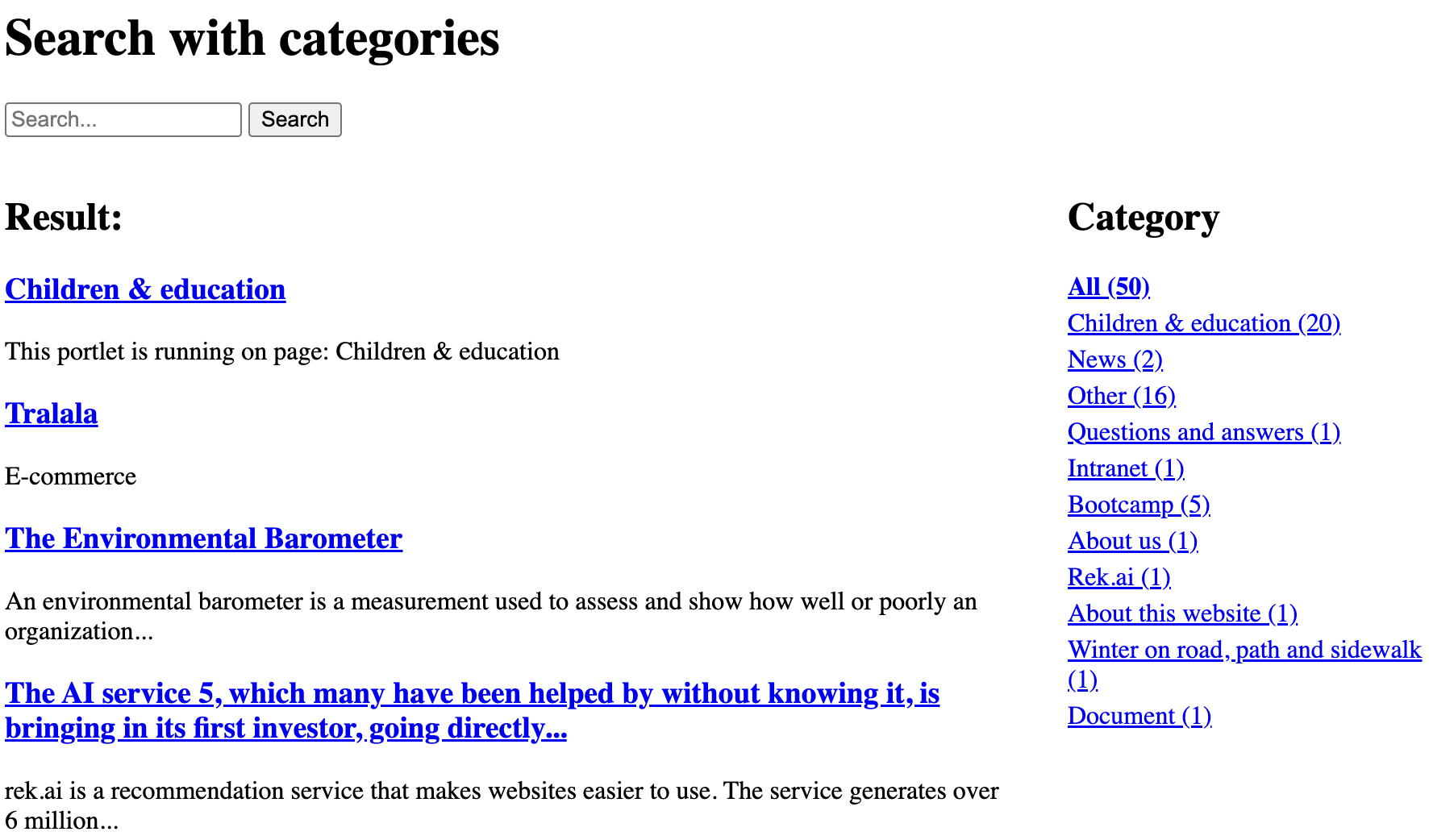
Code example
<head>
<meta charset="UTF-8">
<script defer src="/tutorials/search/12181abf.js"></script>

<style>
  .search-layout {
    display: flex;
    align-items: flex-start;
    gap: 2rem;
  }
  .search-layout .rek-prediction {
    flex: 1;
    min-width: 0;
  }
  .search-layout .category-filters {
    flex: 0 0 220px;
  }
  .category-filters ul {
    list-style: none;
    margin: 0;
    padding: 0;
  }
  .category-filters li {
    margin-bottom: 4px;
  }
  .category-filters a {
    cursor: pointer;
  }
  .category-filters a.is-active {
    font-weight: bold;
    text-decoration: underline;
  }
  .rekai-searchresult-article-container[hidden] {
    display: none;
  }
</style>

<script src="categoryFilters.js"></script>
</head>

<h1>
Search with categories
</h1>

<form action="" method="GET">
<input type="text" name="query" placeholder="Search..." />
<button type="submit">Search</button>
</form>

<div class="search-layout">
<div class="rek-prediction"
  data-renderstyle="searchresult"
  data-gettermfromqueryparameter="query"
>
</div>

<div class="category-filters">
  <h2>Categories</h2>
  <ul></ul>
</div>
</div>