Cross-site recommendation
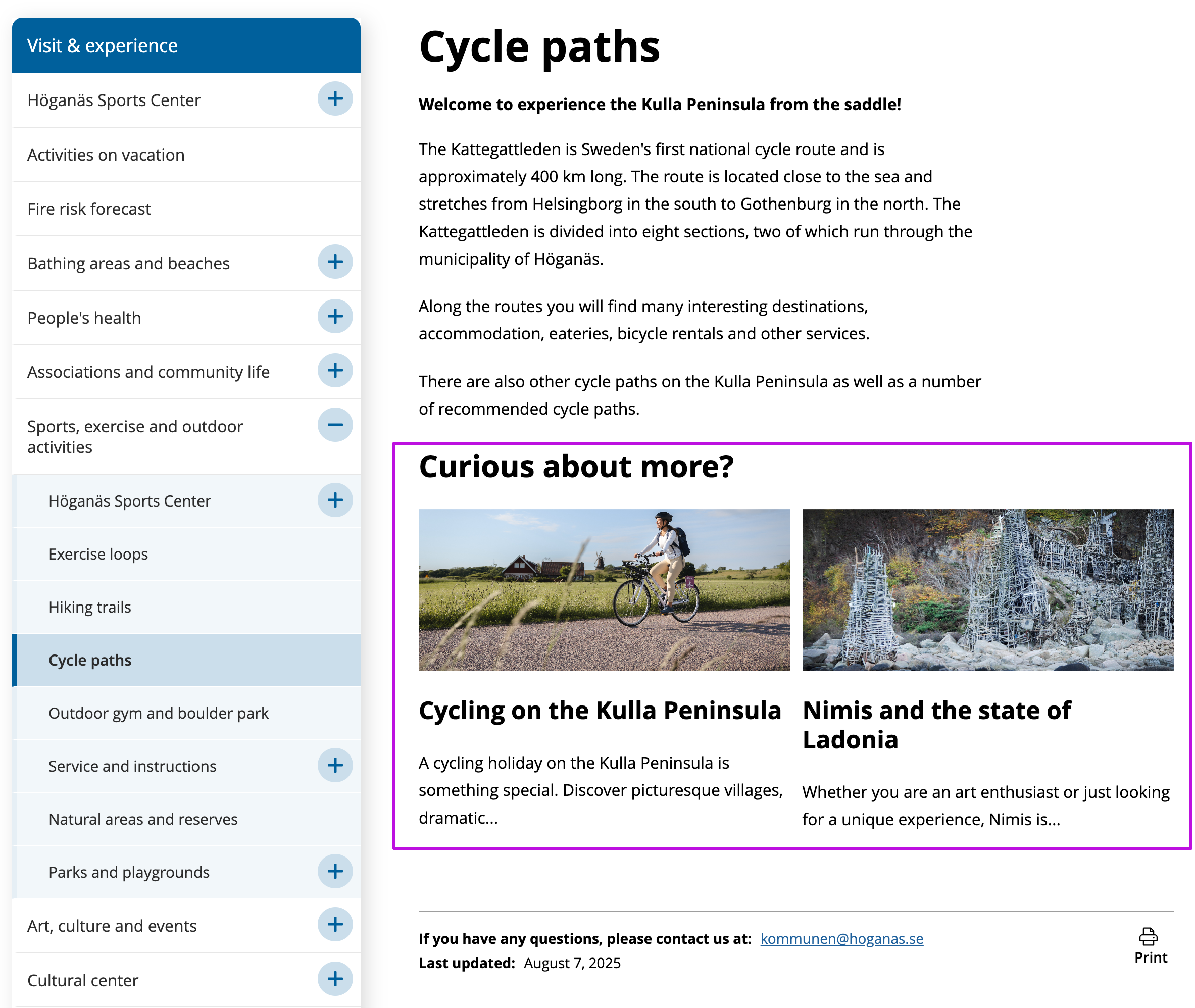
With Rek.ai, it is fully possible to recommend content across different websites. By showing recommendations between two different sites, you can help visitors find more relevant content regardless of which site they begin their journey on.
For example, a municipality could highlight events and attractions featured on a tourism website, which in turn can link back to the municipality's own information. In this way, a natural connection is created between the websites, giving the user a more complete experience.
This image shows how recommendations from the tourist website (opens in a new tab) can be displayed on the municipal website (opens in a new tab). This so visitors can discover relevant content across the two sites.
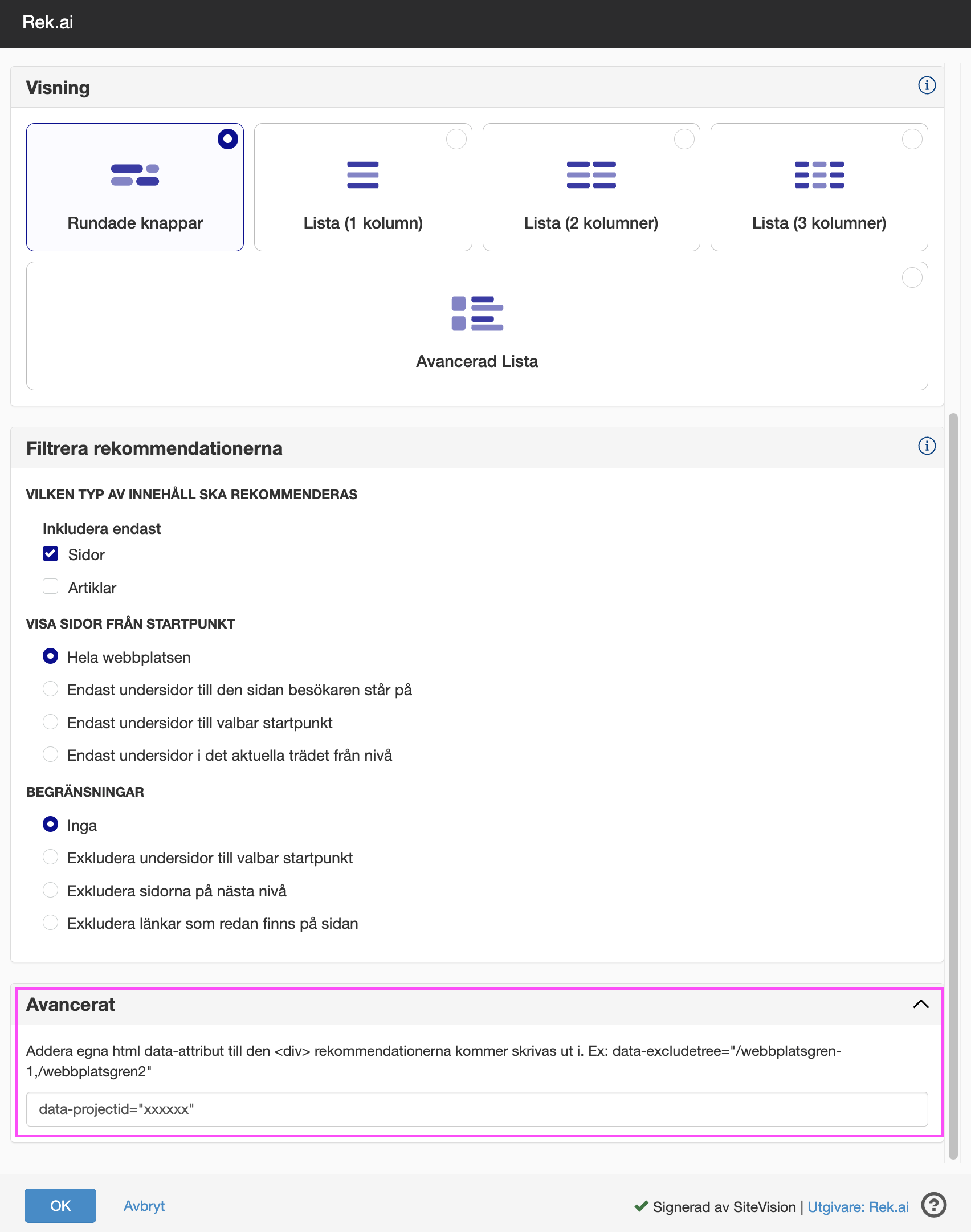
How to implement cross-site recommendations
- First of all, you need to ensure that both websites have rek.ai implemented.
- If the websites are not on the same domain, you will need to add them as "allowed domains" in the Dashboard (opens in a new tab)- read more here: Allowed domains (opens in a new tab). Examples of sites that share the same domain and do not require additional configuration in Dashboard:
site.comandnews.site.com. - Apply the project ID using the HTML or Sitevision module.
Code example HTML
To get cross-site recommendations you need to add the parameter data-projectid="xxxxxx" to the rek-prediction div. Replace "xxxxxx" with the project ID of the site from which you wish to fetch recommendations. If you want to filter the recommendations any further, you can read more about it here: All parameters (opens in a new tab).
<div class="rek-prediction"

  data-projectid="xxxxxx"

  id="news"
  data-selector="#news"
  data-nrofhits="4"
  data-renderstyle="advanced"
  data-cols="2"
  data-subtree="/upplev"
  data-headertext="Recommended cross- site"
  data-titleheadinglevel="3"
  data-titlemaxlength="100"
  data-addcontent="true"
></div>
Code example Sitevision
To enable cross-site recommendations while using the Sitevision module, the only parameter that needs to be added is data-projectid="xxxxxx" and data-addcontent="true" under the Advanced field. Replace "xxxxxx" with the project ID of the site from which you wish to fetch recommendations. The project ID can be found here (opens in a new tab).